Register new .com domains for ₦18,750.00 (1Yr) promo ends 31st May 2026

How to login to your cPanel from the client area dashboard

To login to your cPanel from the client area dashboard, please follow the below steps:

1. Access the client area login page via https://www.globalhosting247.com/login
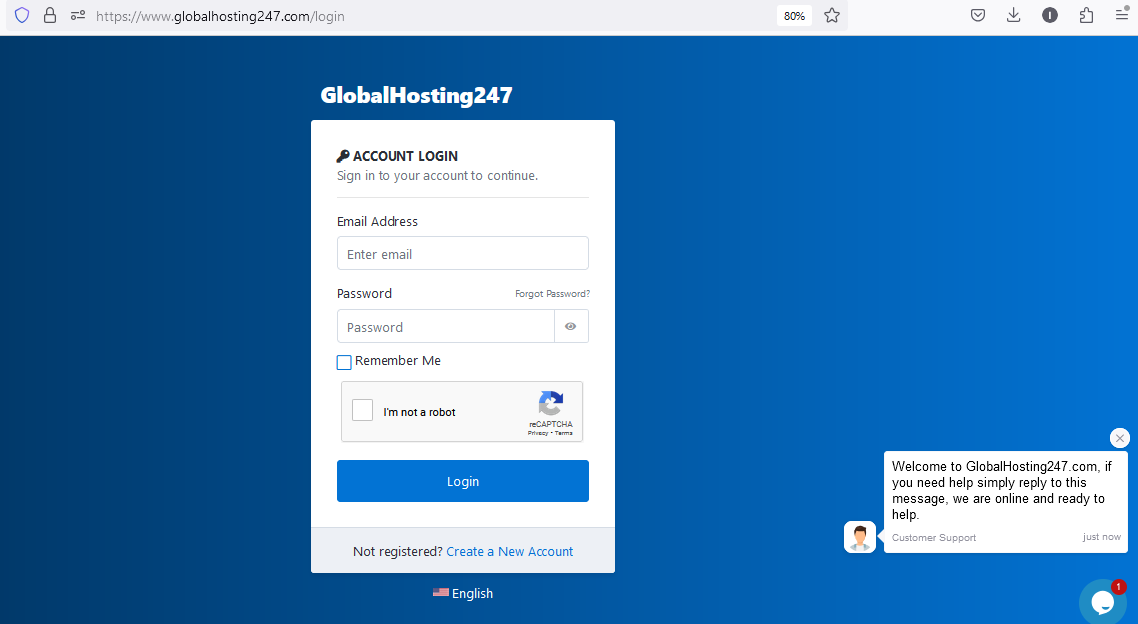
GlobalHosting247 Client area login page

2. Fill the login form as appeared above and click on the login button to login to the client area dashboard.

3. Now click on "manage" as in the screen shot below and click on the drop down "Log in to cPanel" as see in the screen shot below
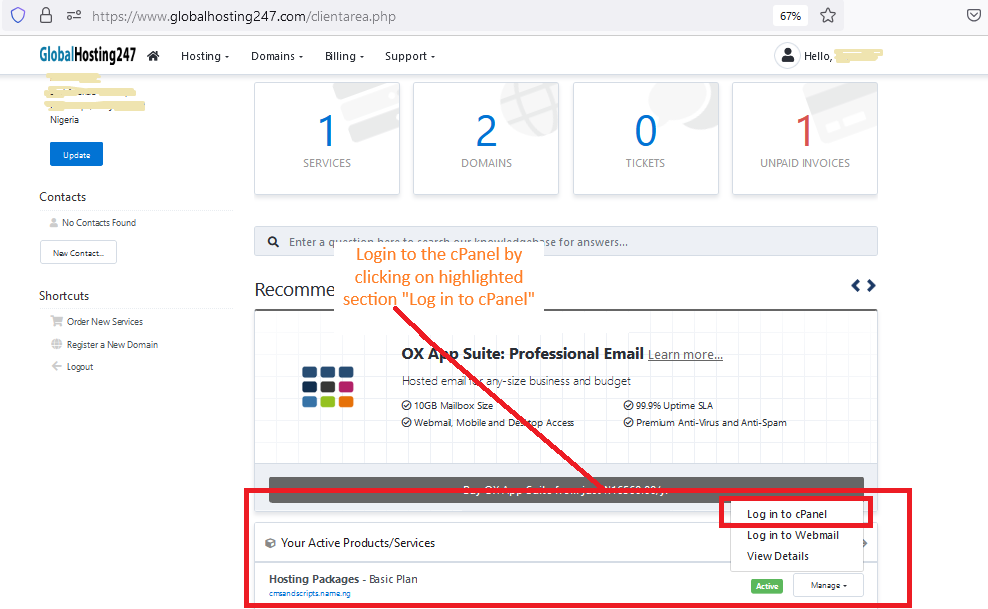

cPanel login through the client area dashboard at https://www.globalhosting247.com/clientarea.php

  • 6 Users Found This Useful
Was this answer helpful?

Related Articles

How to update your cPanel Contact Information or receive a notification on reaching quota limit?

If you want to receive notification on reaching your disk quota, bandwidth usage limit, reaching...

How to Change cPanel Style/Theme?

Switching over to another cPanel theme with a different style is easy and there are two ways to...

How to Edit file in the cPanel File Manager?

1. Log into your cPanel account.2. In the "Files" section, click on "File Manger" Icon. 3....

How to Change Language of your cPanel?

cPanel supports a lot of languages, and if you want to change your cPanel language to your native...

How to Reset my cPanel Account Password?

With this method you won't be asked to supply your old cPanel password. 1. Access the client...