
1. Access my hosting service page through this link https://www.globalhosting247.com/clientarea.php?action=products
2. On the next page, Click on the "Active" or "Suspended" button for the specific subscription you wish to renew.
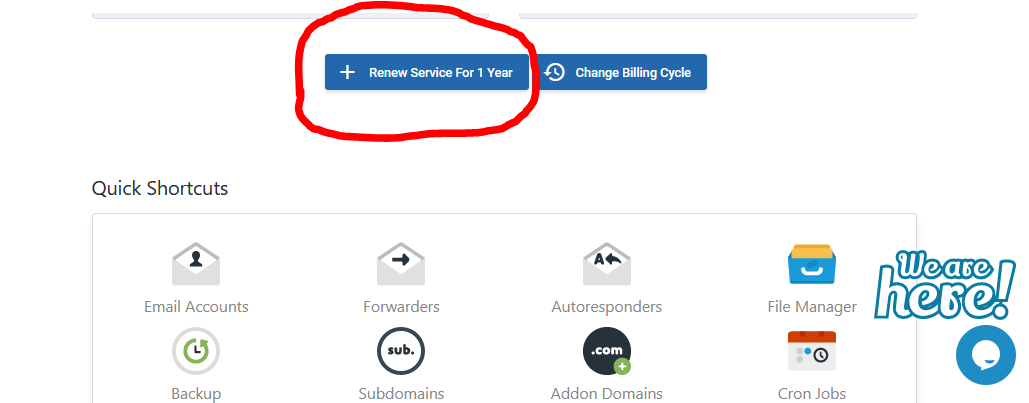
3. Now after you have clicked on the active button as said in point 2 above, scroll down till you see the button "Renew Service For 1 Year" (see screen shot below). Now click on the "Renew Service For 1 Year" button and wait for a dialog box to load.
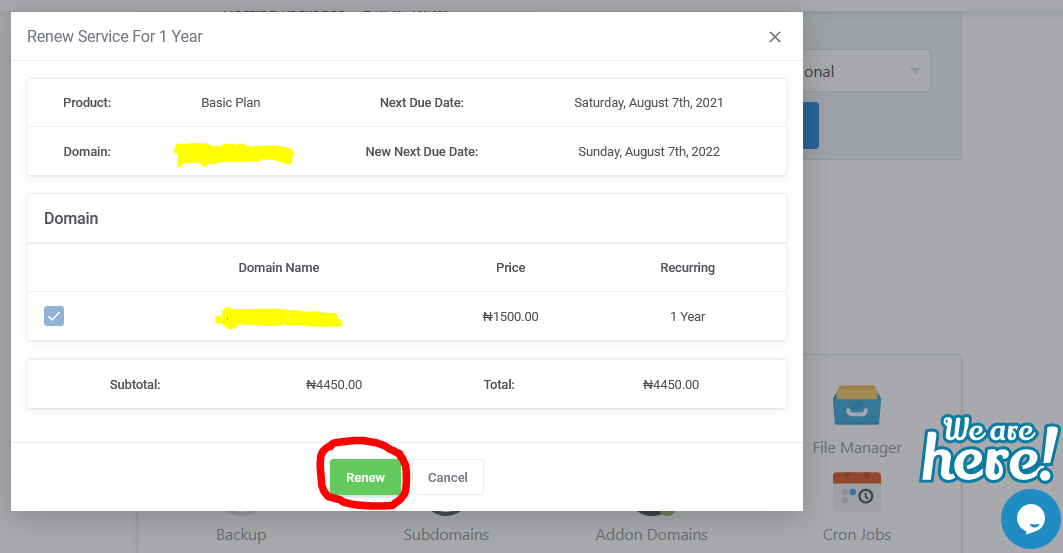
4. This is the final stage now. You can now generate an invoice for your renewal of hosting and/or domain name by clicking on the "renew" button as seen in the screen shot below.
If you experience difficulties, please feel free to submit a support ticket specifying the hosting(domain name) you wish to renew and we can generate the invoice for you.




 WGS AI Assistant